Geek Bar Not Hitting
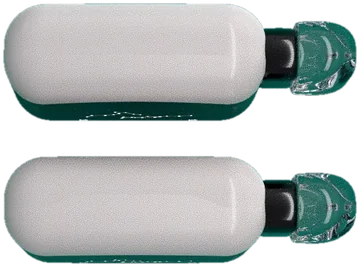 check the switch, charge it, then stop if it still fails.
A Geek Bar not hitting is usually switched off, out of charge or out of liquid. Work through the checks below in order. If none of them works, stop using it and go back to the seller. Never open it.
Checked October 30, 2026
Why Is My Geek Bar Not Hitting
A Geek Bar is not hitting for one of a short list of reasons, and each has one check. Do them in this order:
- Plug and sticker. The Hero manual says to remove the silicone plug on top and the sticker at the bottom.1
- Switch. A Pulse 2 arrives switched off, Vaping360 says, so slide the bottom switch to Regular.2
- Charge. A dead battery is the most common cause. See how to charge it.3
- Draw. Take a short puff and let it rest. A long draw can trip the puff limiter.
- Airflow. Try the other mode, since each mode has its own airflow in the switch on a Pulse.4 Keep the base clear, because models such as the Meloso take air in there.5 Models with an airflow dial or slider, such as the Burj and Meloso Max, can be moved.
- Liquid. If it is charged and still makes no vapor, it is empty.
A blinking light narrows this down, and the blinking page reads the pattern.
Do Not Open a Geek Bar That Will Not Hit
Do not open a Geek Bar that will not hit, and do not try to revive a dead cell. Every fix on this page stops at charging, airflow, the mode switch, stopping use and contacting the seller or maker.
Geek Bar's Hero manual says not to try to open or tamper with the product, and not to attempt repairs on a damaged one. Vaping360 advises against opening one because of the lithium-ion battery, and says it ends any chance of a return.63 Online videos that show otherwise are not sources this site uses. FDA's report form also asks whether a product was modified.7
Geek Bar Not Working After Charging
A Geek Bar not working after charging is most likely out of liquid. Vaping360 says a recently charged rechargeable that makes no vapor has run out of e-juice and is finished.8 Give a fully drained one enough time first, because Vaping360's writer saw a dead device keep blinking on the charger for a while before it came back.
New Geek Bar Not Working
A new Geek Bar not working goes back to the store it came from. Vaping360 says to keep the receipt and packaging, and to take a video if it was an online purchase.
Geek Bar's two pages do not quite agree. The Warranty page offers 14 days from purchase with a receipt and the code on the package, then says a disposable product cannot be returned or replaced, and tells people to ask in the store first. The FAQ says the warranty applies only to customers who purchase directly from Geekbar, meaning its distributors and wholesalers. Either way the first call is the store. If that fails, Geek Bar gives info@geekbar.com.
Why Does My Geek Bar Taste Burnt
A Geek Bar tastes burnt because the liquid has finished before the battery, Vaping360 says, and no one can fix a burnt one. Stop and dispose of it. Vaping360 adds that vaping too often or too heavily can burn the coils, so it recommends a short break between puffs.
Geek Bar's FAQ claims the last draw will not taste burnt. Vaping360's editor trusts taste over the screen: if it tastes wrong, stop, even at a high reading.
Geek Bar Fell in Water
A Geek Bar that fell in water is done, and the safe move is to stop using it. The Hero manual says to keep it away from water and liquids, and Geek Bar claims no water rating. FDA's tip is to replace batteries that get wet, but the same manual says the battery in the Hero is non-replaceable. So take it to a collection site.
Geek Bar Keeps Firing After a Hit
A Geek Bar that keeps firing after a hit, or hisses and flashes on its own, should be switched off and left alone. VapeJuice.com calls this a stuck puff sensor and says one that keeps firing should be recycled.9 FDA takes reports of any quality problem with a vape through its Safety Reporting Portal.
Geek Bar Not Hitting FAQ
These Geek Bar Not Hitting FAQ answers use the sources listed at the end of the page.
How do you reset a Geek Bar?
You reset a Pulse or Pulse X with the bottom switch, VapeJuice.com says: move it to off, then back to a mode. Geek Bar's FAQ lists no reset procedure.
How do you unclog a Geek Bar?
To unclog a Geek Bar, the only steps here are airflow ones: try the other mode and keep the base clear. If the draw stays blocked, stop using it and go back to the seller.
Are Geek Bars waterproof?
Geek Bars are not sold as waterproof. Geek Bar claims no water rating, and its Hero manual says to avoid contact with water or liquids.
Sources
- GEEKBAR HERO User Instructions, Geek Bar. geekbar.com/news/detail.html?id=35
- GEEK BAR PULSE 2 25K Review: Better Than the Original? (Aug. 17, 2026), Vaping360. vaping360.com/reviews/geek-bar-pulse-2-25k-disposable-review/
- A Blinking Disposable Vape: What It Means and How to Fix It (June 4, 2025), Vaping360. vaping360.com/learn/disposable-vape-pen-blinking/
- Geekvape Geek Bar Pulse Review: Astronomical Flavor!, Vaping360. vaping360.com/reviews/geekvape-geek-bar-pulse-disposable-review/
- Meloso product page, Geek Bar. geekbar.com/product/GEEK-BAR-MELOSO.html
- Best Geek Bar Flavors 2026 (includes Pulse and Pulse X spec tables), Vaping360. vaping360.com/best-beginner-e-cigs-vapes/best-geek-bar-flavors/
- Tips to Help Avoid Vape Battery Fires or Explosions (content current as of April 12, 2024), FDA. fda.gov/tobacco-products/tobacco-products-ingredients-components/tips-help-avoid-vape-b...
- How to Easily Tell if Your Disposable Vape Is Almost Empty (June 5, 2025), Vaping360. vaping360.com/learn/how-do-you-know-when-a-disposable-vape-is-empty/
- Why Is My Geek Bar Flashing Red? 5 Quick Fixes (August 31, 2024), VapeJuice.com. A store listing, named here and not linked.